Photo scan
AI calorie counter: snap a photo, know your calories
Calorie Genie is an AI calorie counter app for iPhone and Android. Point the camera at your plate and Genie returns calories, protein, carbs and fat in seconds, with every ingredient editable before you save. Free to download, with free first scans.



 One photo per meal
 Results in seconds
 45 languages, any cuisine
It also reads barcodes and restaurant menus, keeps a food diary with water and weigh-ins, and works out your daily target during setup. Not sure what that target should be? Try the calorie calculator first.
How it works
How the AI calorie counter works, in three taps
No database search, no weighing scales, no guessing the serving size from a label. Here is the whole loop.
- 1
Snap the plate
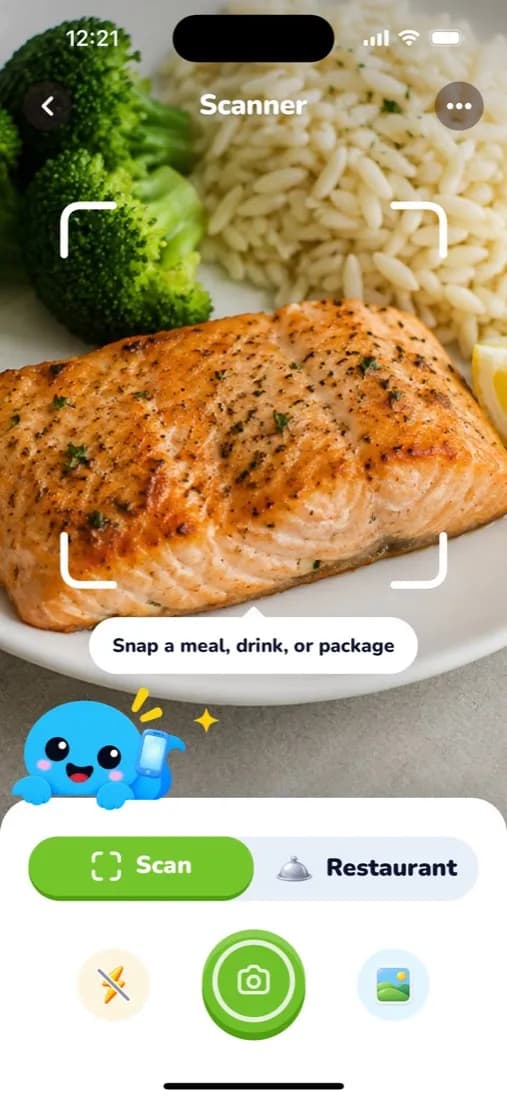
Open the scanner and take one photo of your meal, drink or packaged food. There is nothing to search for and nothing to weigh.
- 2
Check the numbers
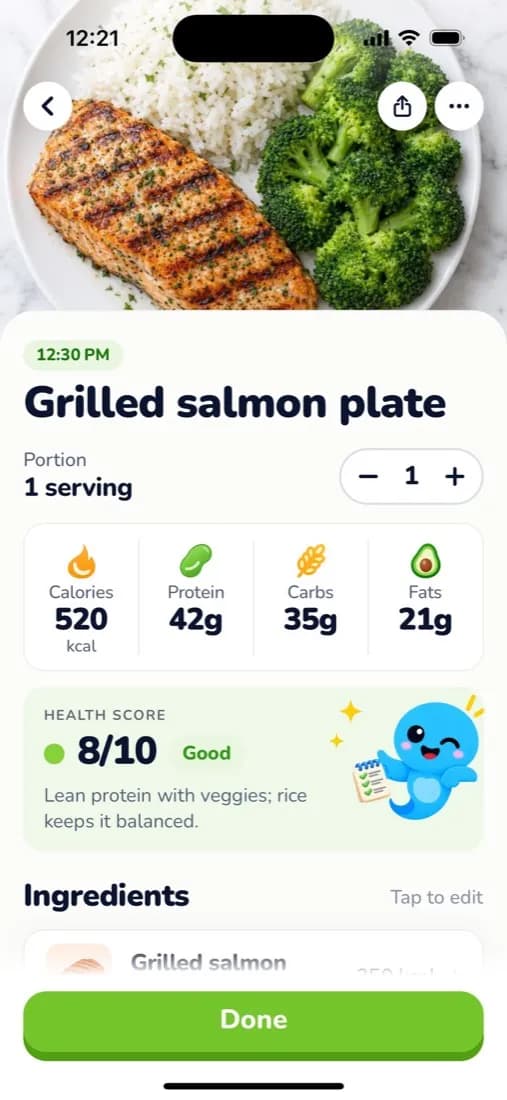
Genie names each food, estimates the portion and returns calories, protein, carbs and fat for the whole plate, with a 1 to 10 health score and a one-line reason.
- 3
Adjust and save
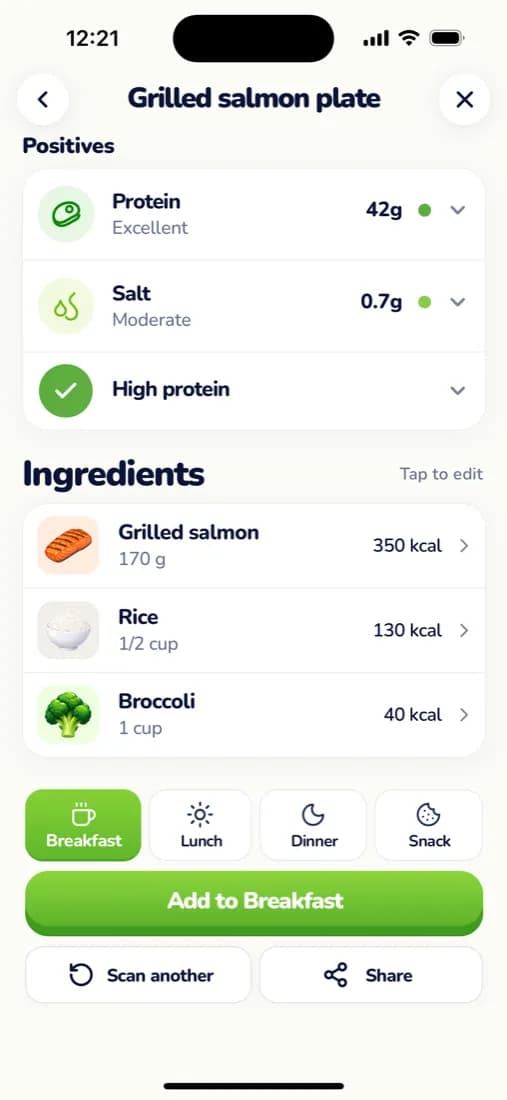
Tap any ingredient to change its weight or swap it, nudge the portion, then add the meal to breakfast, lunch, dinner or a snack. It lands in your diary and your daily total.
What you get
Everything one photo tells you

Calories and macros
Energy in kcal plus protein, carbs and fat for the plate and for every ingredient on it.

A health score with a reason
A 1 to 10 score and one plain sentence on why, such as lean protein with vegetables and a balanced carb.

Editable ingredients
Every item has its own weight and calories. Tap to edit, swap or remove it before you save, so the estimate stays honest.

Nutrients to watch
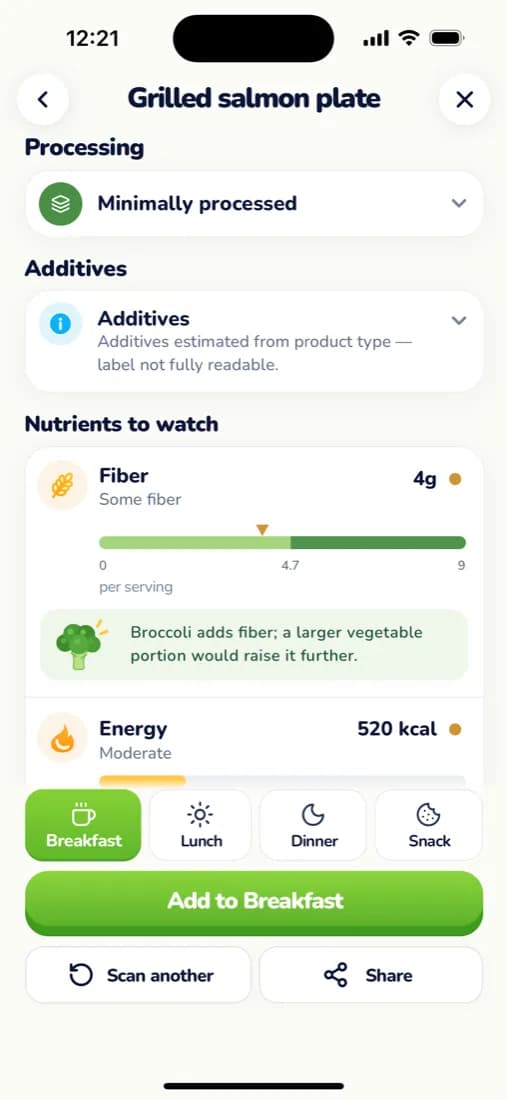
Fibre, salt, sugar and protein are called out with a simple scale, and a tip on what would improve the plate.

Against your target
Saved meals count towards the daily calorie and macro target you set up, with what is left shown on the home screen.

Streaks and quests
Logging a meal completes the day's quest, earns gems and keeps your streak alive on the daily journey.
Accuracy
An honest estimate you can correct in a tap
Any photo calorie counter is estimating two things: what the food is, and how much of it there is. Recognition is the easy part. Portion size is where most of the error lives, for apps and for people.
So Calorie Genie shows its working. Each ingredient appears with its own weight and calories, and you can tap to change the amount, swap a similar food or remove something that was not on your plate. A portion control covers the whole meal when you ate more or less than one serving, and leftovers can be logged in one tap.
For packaged food, use the barcode or label scan instead of the camera estimate: the serving, calories and macros then come from the label, along with a processing level and additives summary.

Free to start
Free AI calorie counter scans to begin with
Download Calorie Genie for free on iOS and Android and your first scans are on us, so you can see how it reads your own food before deciding. Premium unlocks unlimited meal, barcode and restaurant menu scans, with a trial before you are charged. Subscriptions are managed through Apple or Google; see support for how to change or cancel.
AI calorie counter questions
- Does the AI calorie counter actually work?
- Yes, for the job it is built for: a fast, consistent estimate from a single photo. Calorie Genie identifies each food on the plate, estimates the portion and returns calories, protein, carbs and fat, then lets you correct any ingredient before you save. Treat the number as a close estimate rather than a lab measurement. For weight goals, logging every meal consistently matters more than being exact on any one of them.
- Is there an AI calorie counter for free?
- Calorie Genie is free to download on the App Store and Google Play, and your first scans are free. Premium unlocks unlimited meal, barcode and restaurant menu scans, and you can try it before you are charged.
- How accurate are photo calorie counters?
- Accuracy depends on the photo and on the portion. A clear photo from above with the whole plate in frame gives the best result, and portion size is the biggest source of error for any photo-based counter. That is why Calorie Genie shows the weight and calories of every ingredient and lets you adjust them. For packaged food, scan the barcode or nutrition label instead and the numbers come straight from the label.
- Can I use ChatGPT for calorie counting?
- You can paste a description or a photo into a general chatbot and get a rough figure, but it will not remember your meals, add them to a daily total, track macros against a target, or log water and weight alongside them. A dedicated AI calorie counter does the estimate and the diary in one tap, and keeps the history so you can see the trend.
Keep exploring
- Food diary app →The daily log, one-tap water, weigh-ins and 90 days of history.
- Calorie calculator →How many calories you should eat a day, in metric or imperial units.
- MyFitnessPal alternatives →Seven apps compared on scanning, free tiers, UK food data and price.
- Calorie and macro guides →Practical articles on calories, protein and healthy eating.
- See the whole app →Journey, achievements, water and weigh-ins on the home page.
Free on iOS and Android
Snap your next meal
Download Calorie Genie, photograph your plate and let Genie do the maths. Free to download, free first scans.