New · iPhone Duo
The calorie tracker made for iPhone Duo
Calorie Genie is an AI calorie tracker built for both screens of iPhone Duo. Closed, everything sits within thumb reach. Open, Home becomes a two-column dashboard and scanning goes side by side. Half-folded, Table mode keeps today's numbers in view while you eat.



 Snap a meal, get calories
 Layouts switch automatically
Same app, same account, same photo calorie counter and food diary. Calorie Genie simply rearranges itself for whichever way you are holding the Duo.
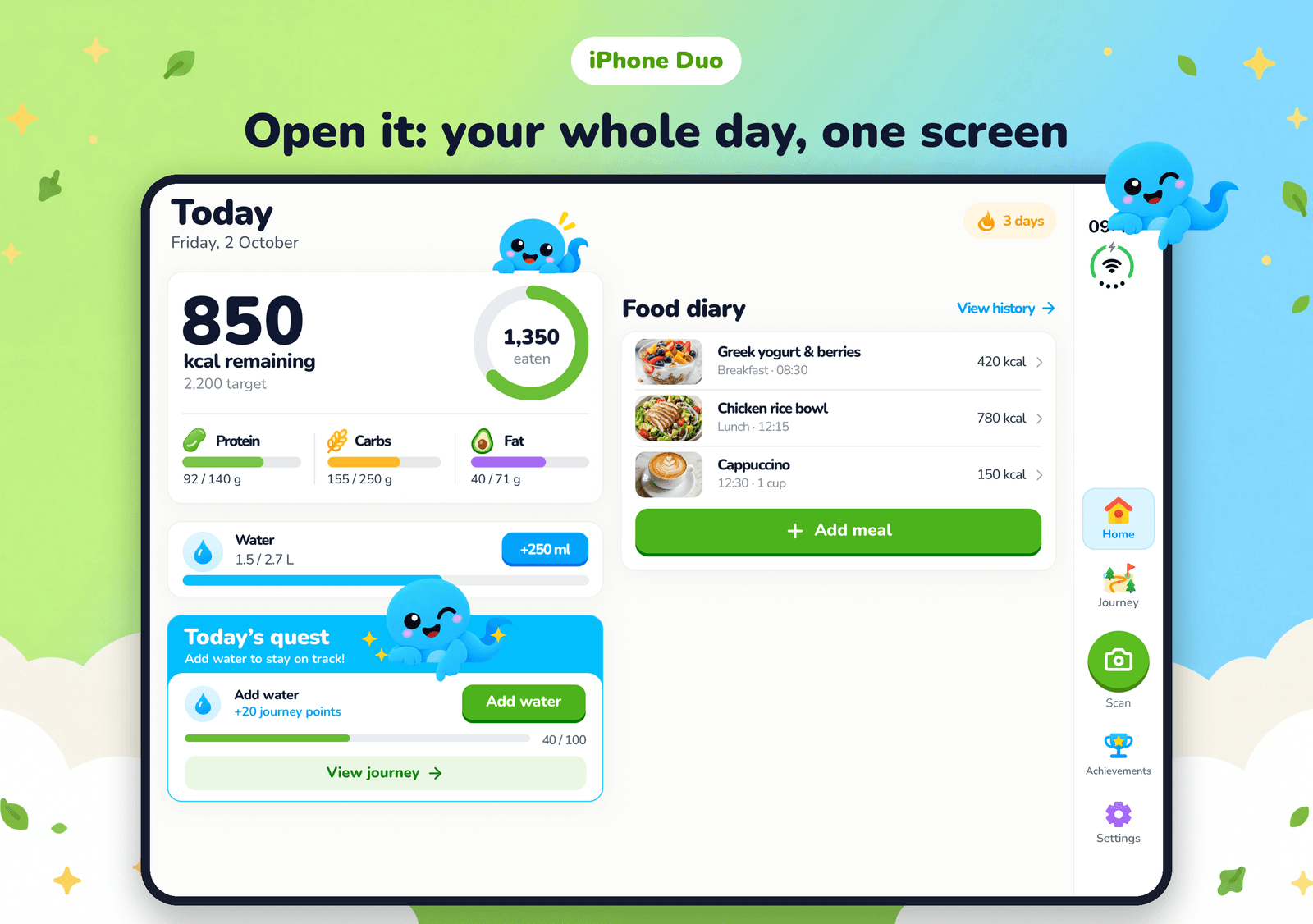
Closed · outer screen
Folded shut, everything is a thumb away
Most meals get logged one-handed. On the outer screen of iPhone Duo, Calorie Genie keeps the controls where your thumb rests.
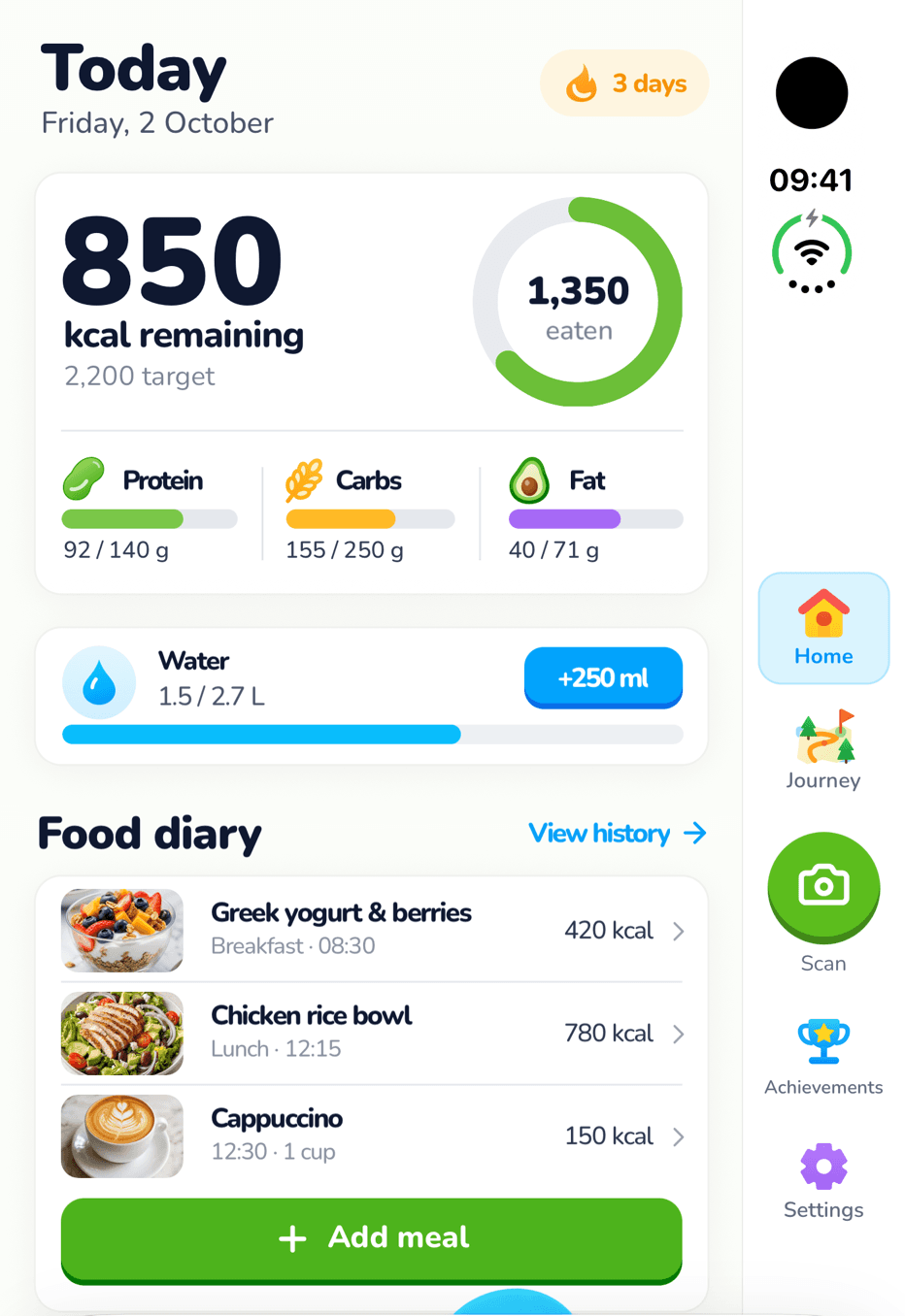
The whole app on the outer screen
Home, your diary, water and the Journey are laid out for the wider outer display, so nothing is squeezed or cut off when the Duo is folded shut.
A rail on the right, within thumb reach
Navigation and the Scan button move to a rail on the right edge, the way Apple's own apps use the outer screen. One hand holds the phone, the same thumb taps.
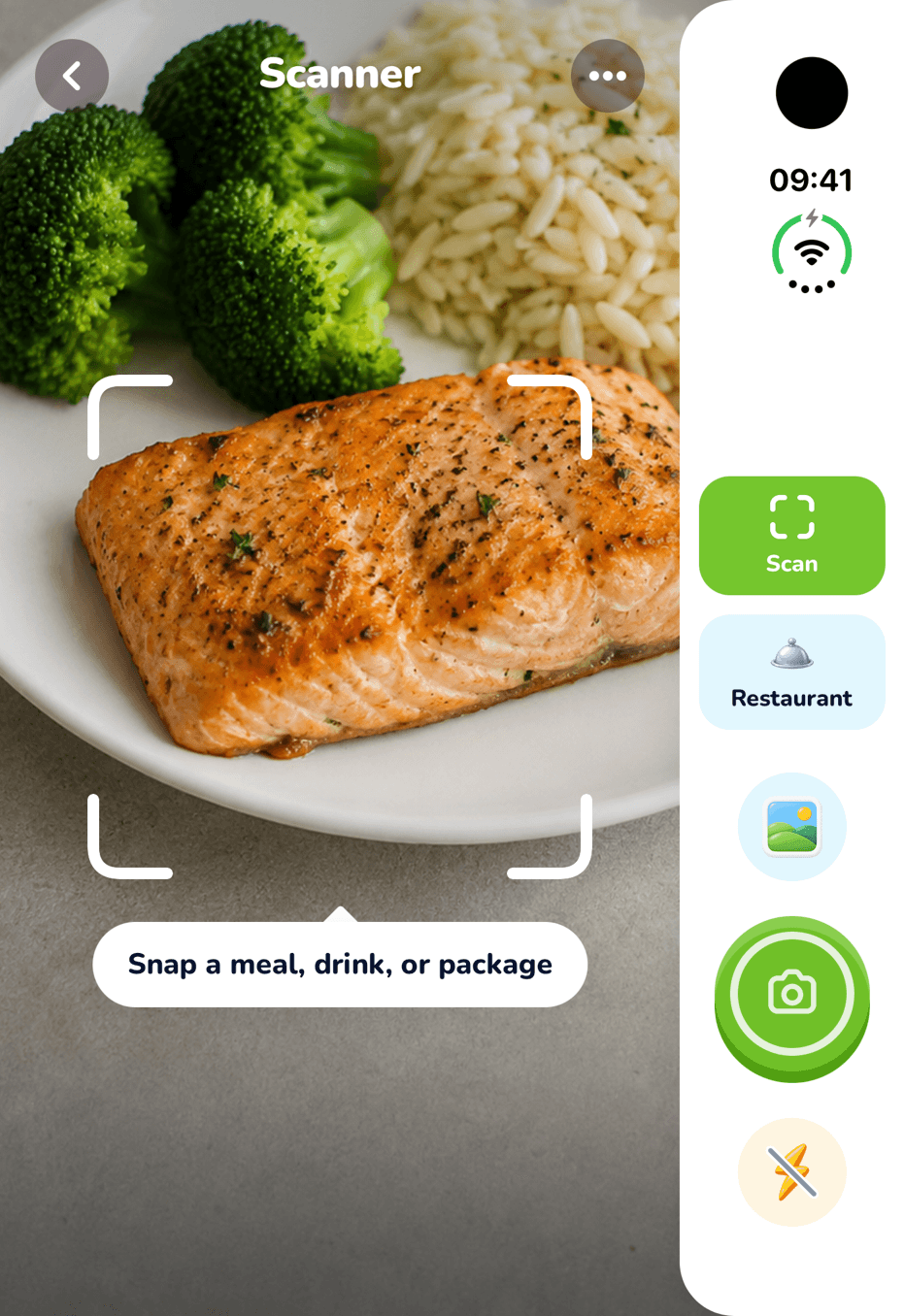
Full-screen scanning
Tap Scan and the camera fills the screen, with the shutter in a control column on the right where your thumb already is.
Open · inner screen
Unfolded, your whole day on one screen
The inner screen of iPhone Duo is big enough to see how you are doing and what you have eaten at the same time, so Calorie Genie stops making you scroll between them.
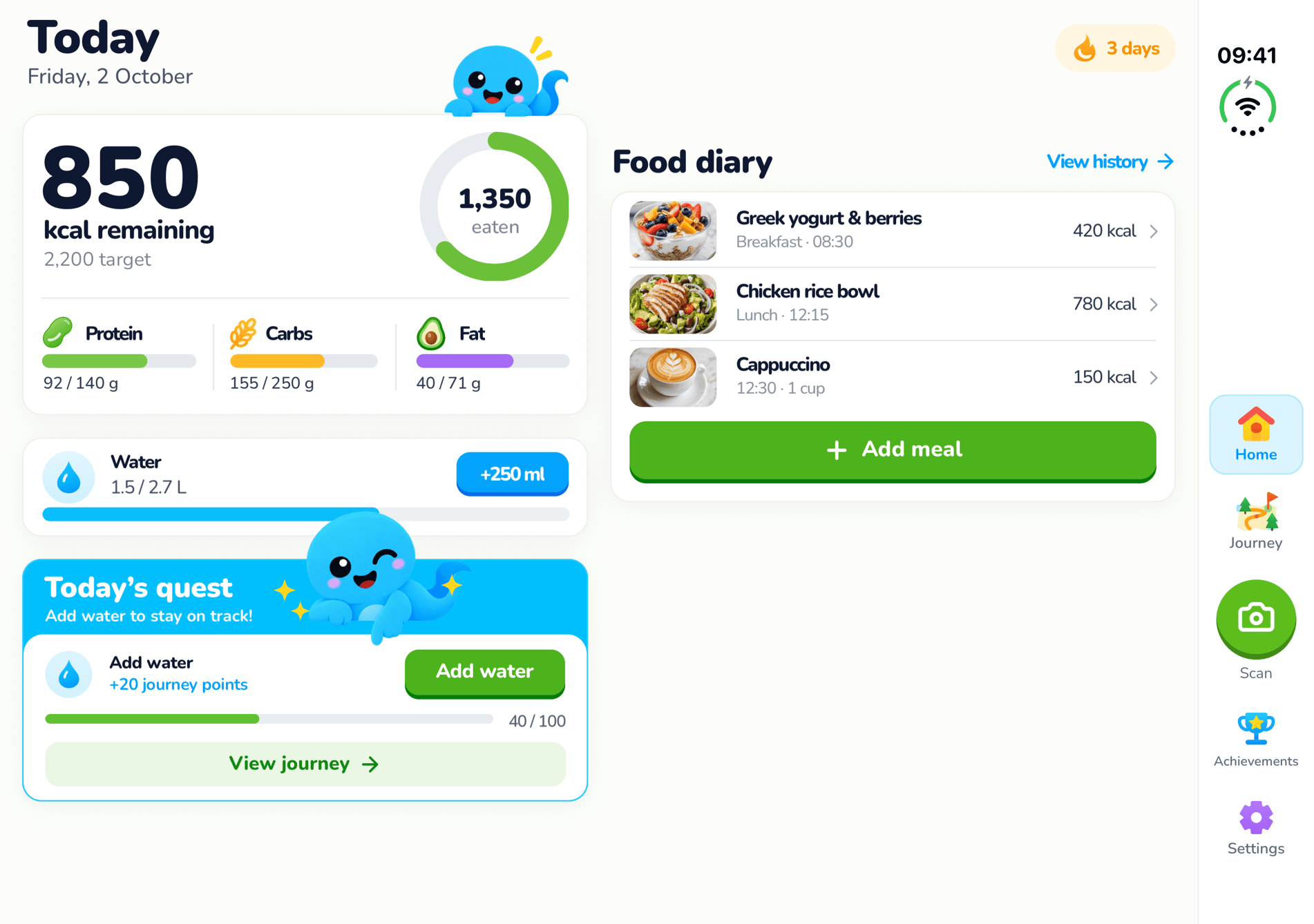
A two-column dashboard
Unfold to the inner screen and Home splits in two: today's calorie ring and macros, water and the daily quest on the left; today's meals in your diary on the right.
Portrait works too
Hold the open Duo upright and today's card runs full width across the top, with your diary and the quest side by side underneath.
Side-by-side scanning
A full-size camera, controls at your thumb
On the open screen the live camera fills one side and a panel on the other holds the shutter, flash, photo library and the Scan or Restaurant switch. In Restaurant mode every menu page you snap lands in that panel, so you can line up the whole menu before Genie picks the best dish.
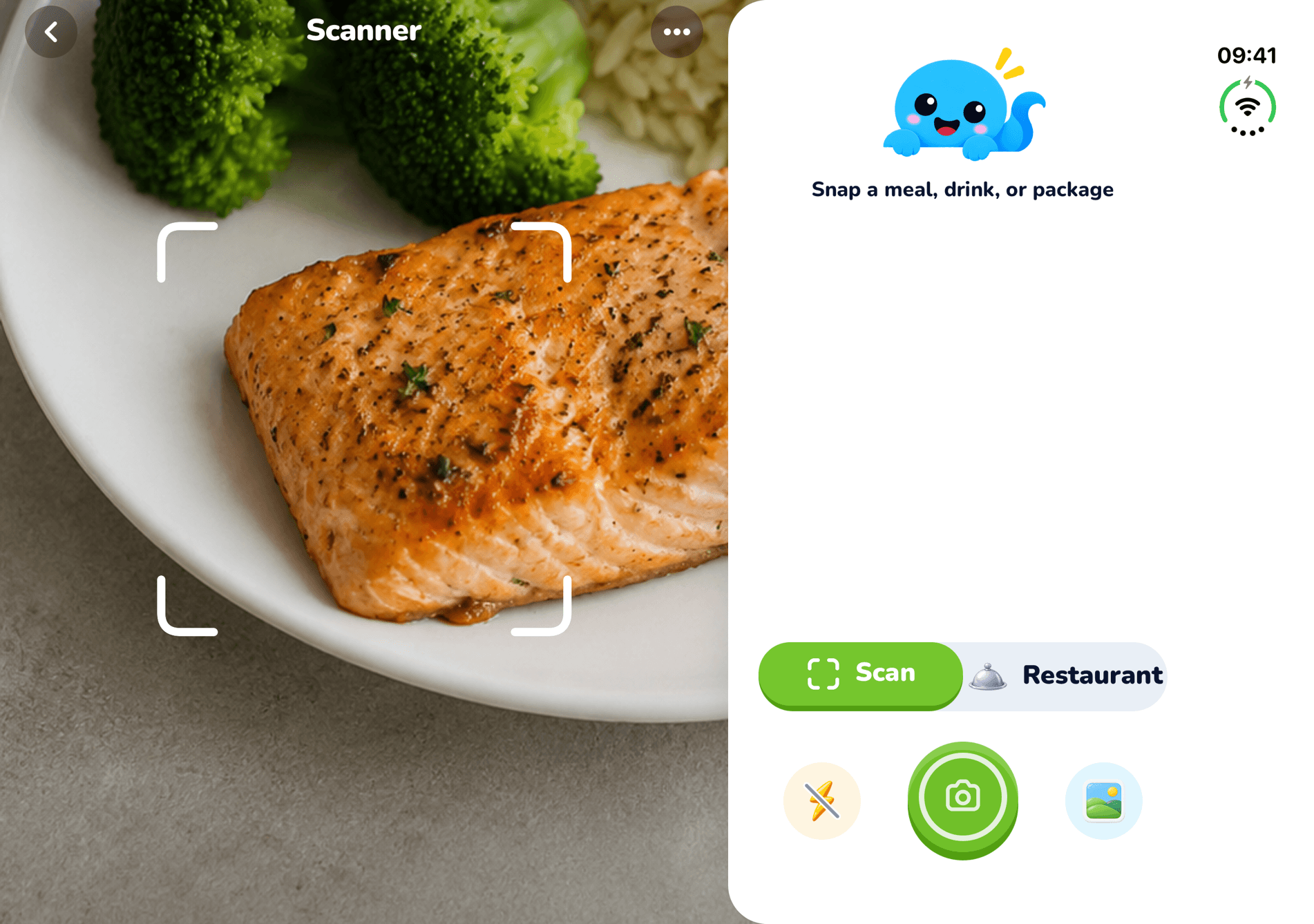
Table mode
Prop it up while you eat
Stand your iPhone Duo half-open on the table and Calorie Genie switches to Table mode.
Top half: today at a glance
Calories left today and your macros, big enough to read from across the table.
Bottom half: big buttons
Large Scan a meal and Log water buttons, plus your latest meal, so a second helping or a glass of water takes one tap.
Book pose and continuity
Designed around the fold, not across it

Book pose
Hold the Duo half-folded like a book and the columns snap to each side of the fold. No button ever sits in the crease.

Fold mid-scan, lose nothing
Start a scan on the outer screen and unfold to finish it on the inner one, or the other way round. Your results, menu pages and place in the app stay exactly where they were.
Calorie Genie on iPhone Duo: questions
- Does Calorie Genie work on iPhone Duo?
- Yes. Calorie Genie has layouts made for both iPhone Duo screens: the closed outer screen gets a thumb-reach rail on the right edge, and the open inner screen gets a two-column dashboard, a side-by-side scanner and Table mode when half-folded.
- What is Table mode?
- Prop your iPhone Duo half-open on the table while you eat. The top half shows the calories you have left today and your macros, large enough to read from across the table. The bottom half has big Scan a meal and Log water buttons and your latest meal.
- Do I need to do anything to use the Duo layouts?
- No. The layouts switch automatically when you fold, unfold or half-fold the phone. There is no setting to turn on, and if you fold or unfold in the middle of a scan nothing is lost.
- Does it work on other iPhones?
- Yes. Calorie Genie runs on iPhone and Android as before, and the normal iPhone layout is unchanged. The Duo layouts only appear on iPhone Duo.
Keep exploring
- AI calorie counter →How the photo scan turns a plate into calories, protein, carbs and fat.
- Food diary app →The daily log, one-tap water, weigh-ins and 90 days of history.
- Calorie calculator →How many calories you should eat a day, in metric or imperial units.
- MyFitnessPal alternatives →Seven apps compared on scanning, free tiers, UK food data and price.
Free on iOS and Android
Get Calorie Genie on your iPhone Duo
Download Calorie Genie, snap your next meal and fold it however you like. Free to download, free first scans.