

Raw avocado contains about 160 kcal per 100 g, but the calories you eat depend on the edible flesh, variety, and preparation. If you're looking at avocado toast or a freshly cut fruit and wondering what to log, the most useful question is how much flesh made it onto your plate.
Table of Contents
- Why One Avocado Has Multiple Calorie Totals
- Understanding Avocado Calories by Edible Weight
- Comparing Avocado Portions and Serving References
- Reading the Macro Breakdown
- Estimating Portions from Whole Fruit
- Calories in Common Avocado Servings
- Checking Avocado Portions with Calorie Genie
- Choosing the Right Estimate for Your Log
Why One Avocado Has Multiple Calorie Totals
You slice half an avocado onto toast while someone beside you scoops avocado into a lunch bowl. You both select “avocado” in your food diary, but the entries don't necessarily describe comparable portions. Your fruit might be smaller, their bowl might contain more flesh, and either meal could include ingredients that aren't obvious from its name.
That's why searching for calories in avocado can produce several apparently conflicting answers. Some entries describe a measured amount of raw flesh. Others describe a serving, a fruit fraction, or a prepared dish.
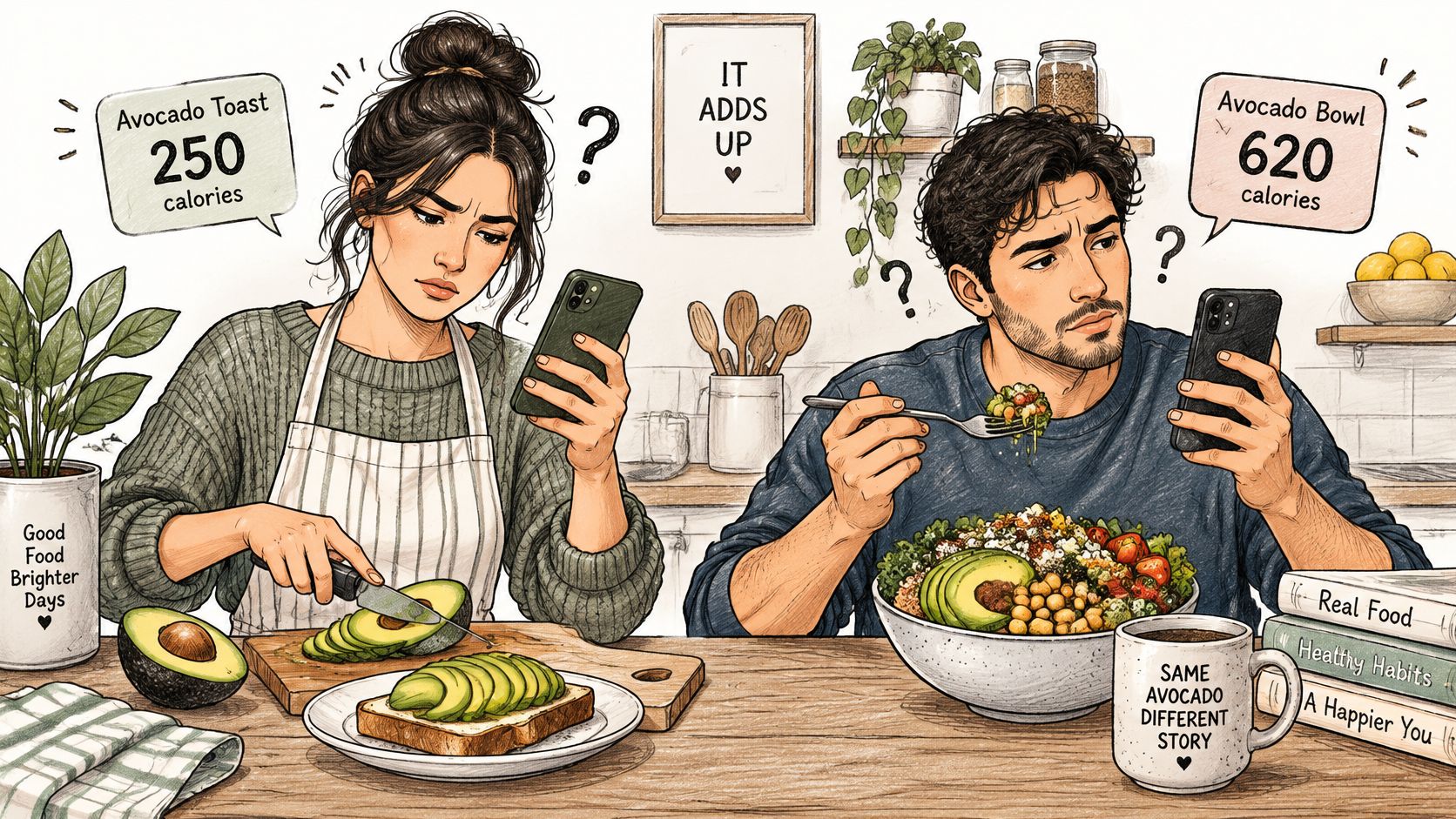
Separate the food from the serving description
Think of “an avocado” as a shopping unit, not a measurement of what you ate. The skin, pit, flesh left behind, and amount served all matter when you translate a whole fruit into a food-diary entry.
The useful distinction is between identifying the food and identifying the portion. You can correctly recognize avocado while still choosing an entry that assumes a different amount from the one on your plate.
A food name tells you what you ate. A portion description tells you how much to log.
You don't need to eliminate every uncertainty before eating lunch. Instead, identify the part you can check: the flesh you served, the kind of avocado if known, and anything mixed into it.
A helpful entry might describe sliced avocado flesh on toast, with the bread and oil listed separately. That description gives you something concrete to review, rather than asking a single dish name to stand in for the entire meal.
Understanding Avocado Calories by Edible Weight
Edible weight means the avocado flesh you intend to eat. Put a bowl on a kitchen scale, reset the display, and add the flesh after removing the skin and pit. Don't use the weight of the unopened fruit for a flesh-only nutrition entry.
The general calculation is edible grams × approximately 1.6 kcal per gram, based on the raw-avocado nutrition reference. That reference gives approximately 160 kcal per 100 g, making the following weighed portions useful starting points.
Calories by edible weight
| Avocado flesh | Approximate calories |
|---|---|
| 50 g | 80 kcal |
| 75 g | 120 kcal |
| 100 g | 160 kcal |
| 150 g | 240 kcal |
These are calculations using the reference above, not guarantees for every cultivar. Doubling the flesh amount doubles the estimate when you keep the same database entry.
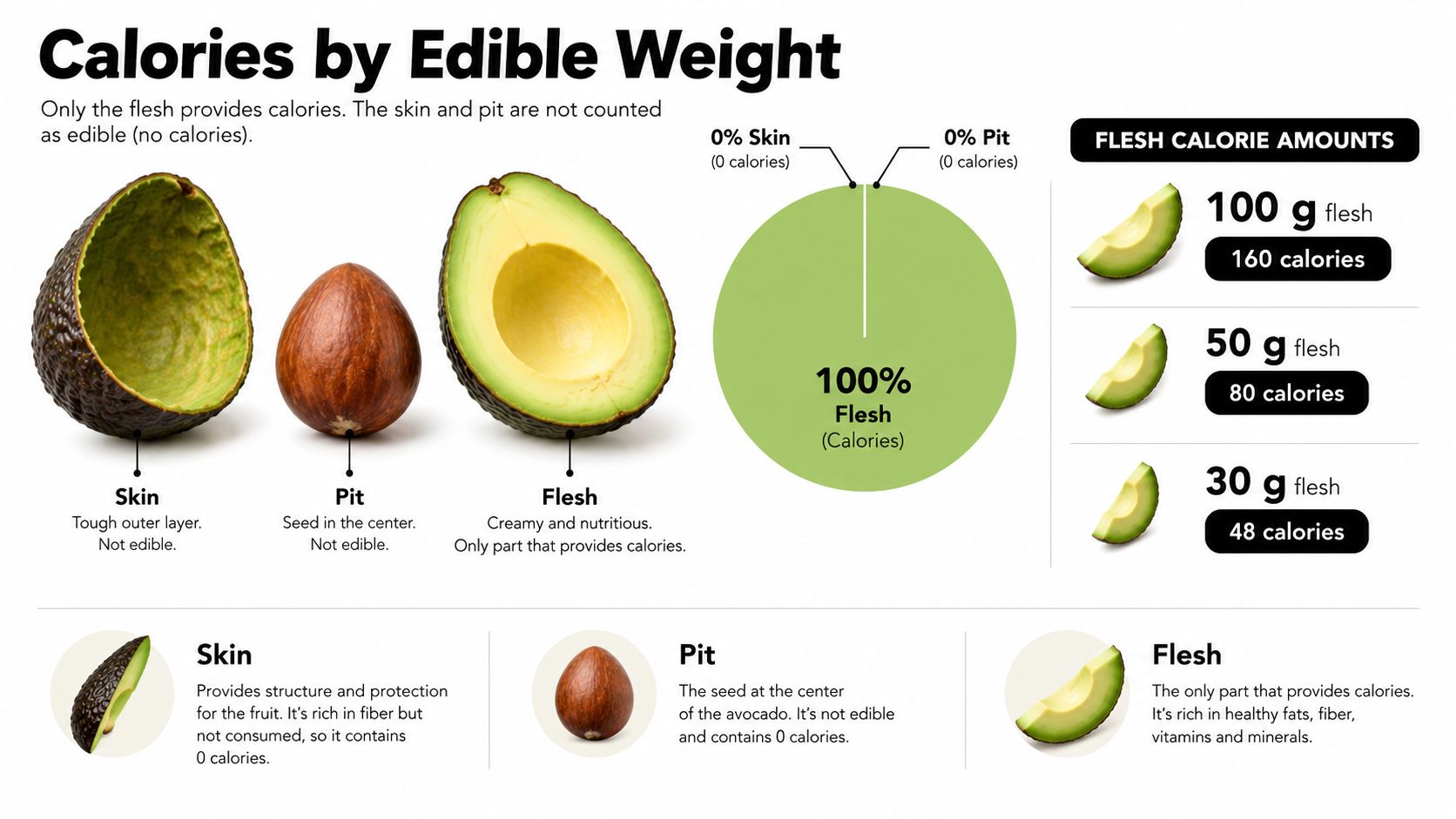
Read the skin-and-pit illustration as a logging rule: exclude those discarded parts from the portion you ate. It isn't a claim about their chemical energy content.
Match the measurement to the entry
“Half an avocado” describes a fraction, while a weighed portion describes an amount. If your fruit is larger than the one assumed by the database, a half-fruit entry can underestimate your serving even though the fraction sounds correct.
The same question is useful when checking chicken thigh calorie entries: what exactly does the listed portion include? Before comparing calorie totals, make sure you're comparing the same kind of measurement.
Use the table for plain flesh only. Once you add a dressing or spread the avocado onto another food, keep that measured avocado component and log the remaining ingredients separately.
Comparing Avocado Portions and Serving References
A serving reference and a fruit fraction solve different problems. A defined serving gives a consistent basis for reporting nutrition, while a fraction helps describe what you cut or served. Neither automatically tells you the edible weight of an unfamiliar fruit.
The FDA reference listing uses one-fifth of a medium California avocado, or 30 g, with 50 kcal, as reported in the earlier raw-avocado reference. Treat that as a defined labeling convention, not a promise about the flesh yield of every avocado you buy.
Avocado Portion Reference
| Portion basis | Edible amount | Approximate calories | Best use |
|---|---|---|---|
| Defined reference serving | The labeled amount described above | Use the stated reference value | Interpreting that specific serving convention |
| Small weighed portion | Actual flesh placed on the scale | Use the edible-weight calculation above | Logging a topping or spread |
| Half of the actual fruit | Depends on the flesh in that half | Not fixed by the fraction alone | Describing a portion when weighing isn't possible |
| Full edible flesh portion | Flesh removed from the actual fruit | Depends on edible yield and database entry | Logging a fruit you ate completely |
| Larger weighed portion | Measured flesh served | Scale the selected nutrition entry | Meal preparation or a generous serving |
Use visual cues as descriptions
A thin layer on toast, a fan of slices, and a mound of cubes are useful descriptions. They aren't interchangeable measurements, though, and none should automatically become “half a medium avocado.”
For example, spreading avocado thinly across a broad surface can make a portion look substantial. Piling the same flesh into a compact bowl changes its appearance without changing what you served.
Practical rule: Choose the entry that matches your evidence, not the one whose serving name sounds most familiar.
If you're weighing, select a gram-based entry. If you're using a label, follow its defined serving. If you only know the fruit fraction, preserve that description and accept a wider margin of uncertainty.
This is also a useful habit when comparing sliced turkey breast calorie portions. A familiar serving name is convenient, but checking what the entry represents makes the comparison more meaningful.
Reading the Macro Breakdown
Calories are only part of an avocado entry. The same raw-avocado reference used for the edible-weight calculation lists approximately 14.7 g fat, 8.5 g carbohydrate, 6.7 g fiber, and 2 g protein per 100 g. These figures describe a general database entry, not a laboratory measurement of your particular fruit.
For tracking purposes, the important point is to scale the whole entry together. If you reduce the portion, reduce its fat, carbohydrate, fiber, and protein estimates along with its calories.
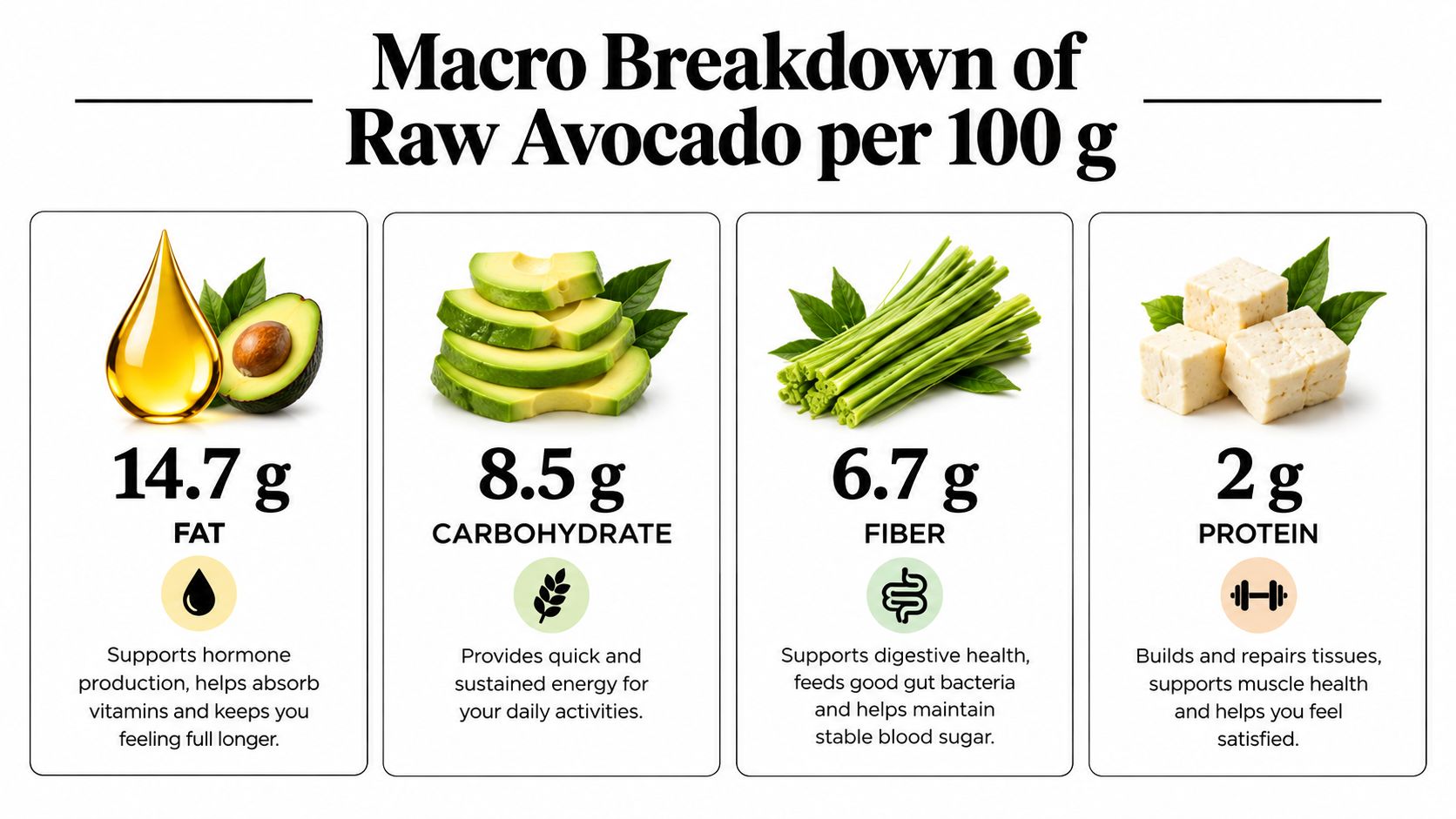
Scale the entry rather than rebuilding it
Suppose you choose the smaller weighed portion from the earlier table. Your tracker should scale the existing nutrition record to that amount, rather than combining calories from one avocado listing with macros from another.
That matters when database entries differ. An apparently tidy calorie total doesn't confirm that the associated macro breakdown matches the variety or preparation you ate.
- Keep the entry consistent. Use calories and macros from the same nutrition record.
- Adjust the portion first. A serving correction should update the entire breakdown.
- Check recipe additions. Added ingredients belong in the recipe, not inside an unexplained avocado adjustment.
Don't add fiber to carbohydrate again
Fiber is included within the listed carbohydrate amount. It isn't an extra quantity to add on top when reading this breakdown.
That distinction can be confusing because food trackers often show carbohydrate and fiber on separate lines. The separate display helps you see both, but it doesn't mean they're unrelated totals.
Treat all these values as estimates. A photograph may help identify the ingredient and suggest a portion, but it can't establish the exact composition of the flesh. For a useful macro log, a consistent entry and a realistic portion are more informative than extra decimal places.
Estimating Portions from Whole Fruit
Without a scale, start with what you can observe rather than assigning a standard fruit size. Keep the remaining fruit nearby if possible, and describe the share of its flesh that you served.
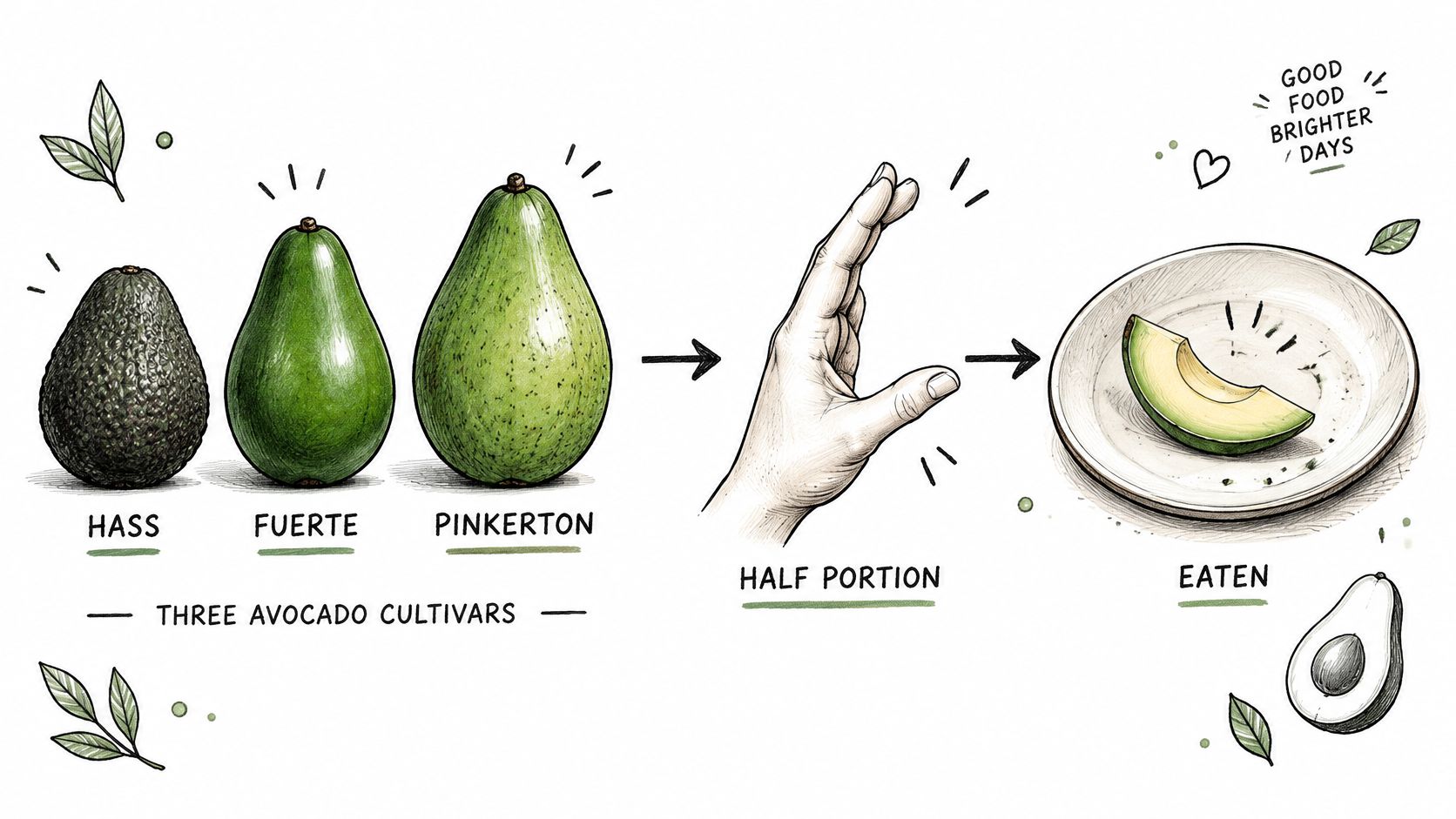
Cultivar also matters. Avocado nutrition records by variety report approximately 120 kcal per 100 g for raw Florida avocado, 167 kcal for raw California avocado, and 206 kcal for peeled raw Hass avocado. These are database-dependent entries, with differences in fat and water content, not a universal conversion between avocado appearances.
Build a visual estimate you can explain
- Check the label or packaging. Record the cultivar when it's identified. Don't treat a visual guess as confirmed information.
- Look at the served flesh. Distinguish what's on your plate from what remains attached to the skin.
- Include a familiar reference. A utensil or your hand can help communicate scale in a photo, but neither is a calibrated weight measure.
- Describe uncertainty clearly. “Most of the flesh from this half” is more informative than an unsupported gram amount.
A cut half left on the counter doesn't establish how much of the original flesh you ate. You might have scooped unevenly, reserved some slices, or left flesh in the skin.
Learn your own visual reference
When you do have a scale, photograph a weighed portion beside the utensil you normally use. You can compare a future serving with that personal reference, while remembering that slice thickness and arrangement may differ.
Cubes are harder to interpret without context because you can't see the original fruit or the depth of the pile. For a mixed bowl, photograph before adding dressing when practical. That won't turn the image into a measurement, but it gives you clearer evidence to review.
Calories in Common Avocado Servings
A familiar dish name doesn't tell you how much avocado it contains. Compare plain avocado slices, avocado toast, and an avocado-based spread: the ingredient may be recognizable in each, but you need different information to log the complete serving.
For plain slices, the earlier edible-weight table provides a direct starting point. For toast or a mixed recipe, that same avocado entry accounts for only the flesh, not everything on the plate.
Compare the ingredient with the finished dish
| What you're eating | What you can log directly | What needs a separate check |
|---|---|---|
| Plain sliced avocado | The served flesh | Any portion left uneaten |
| Avocado toast | The avocado component | Bread, oil, spreads, and toppings |
| Avocado mixed with mayonnaise | Known avocado used in the recipe | Mayonnaise and the share served |
| Avocado bowl | Visible or measured flesh | Dressing and other ingredients |
| Shared avocado dip | The recipe's avocado component | Other ingredients and your share |
Consider toast made at home. If you measure the avocado before spreading it, you have a clear basis for that component even if the finished toast looks different each time.
A café version presents another problem. You may recognize the avocado, but you might not know whether the kitchen added oil or mixed something into the spread. Logging a generic dish can be practical, provided you don't mistake it for a verified recipe.
Log what you know directly. Keep the uncertain ingredients visible rather than hiding them inside a confident-looking total.
Mixed recipes need ingredient information
For a homemade spread, record the ingredients as you prepare it, then log the share you eat. If you only photograph the finished mixture, color and texture alone won't tell you how much avocado or added fat it contains.
That ingredient-first approach is also useful for logging homemade vegetable soup. Start with what went into the recipe, then consider what portion reached your bowl.
You don't need to invent calorie values for unfamiliar ingredients. Use their labels or appropriate food entries, and leave the avocado calculation attached to the avocado itself.
Checking Avocado Portions with Calorie Genie
A photo-based tracker is another option alongside a kitchen scale, package label, and manual food diary. In Calorie Genie, you can photograph a meal, review its estimated ingredients and nutrition, and correct the result before saving it.
Treat that first result as a proposed entry. The useful work is checking whether the app's description matches what you served, especially when avocado is partly hidden or blended into a dish.
Photograph and review before saving
Take a clear photo that shows the avocado portion and the surrounding meal. If possible, avoid covering it with other ingredients before photographing.
Then inspect the ingredient list rather than stopping at the calorie total.
- Confirm the food. Check whether the estimate describes plain avocado or a prepared mixture.
- Inspect the portion basis. Look for an assumed fruit fraction that doesn't match your serving.
- Exclude discarded parts. Skin and pit shouldn't be included in the flesh you logged.
- Check the rest of the plate. Bread, dressing, mayonnaise, and oil need attention too.
Correct the missing information in plain language
Conversational corrections let you explain what the image couldn't establish. You might enter “Log only the flesh shown”, “This is Hass avocado”, or “The avocado was mixed with mayonnaise.” These are examples of user instructions, not claims that a photo can verify the details.
If you weighed the flesh, give that measured amount instead of a vague size correction. “Use the measured edible weight” provides a stronger basis than “make the avocado a little larger.”
You can also edit ingredients, portions, and macros manually. After making a change, review the revised entry to make sure you haven't accidentally retained an added ingredient twice or removed something you ate.
Match the effort to your needs
For routine logging, a reviewed photo estimate may be a practical starting point. When tighter tracking matters, compare the estimate with a weighed portion and the nutrition entry you intend to use.
You can also photograph leftovers and review the adjusted amount eaten. As with the original meal, check the result rather than assuming every visible remainder was interpreted correctly.
Photo estimates depend on the image and your corrections. A more specific description can reduce ambiguity, but it doesn't turn estimated nutrition into an exact measurement.
Choosing the Right Estimate for Your Log
Choose your method according to the evidence you have. A weighed portion supports a gram-based entry, a labeled product supports its stated serving, and an unmeasured meal calls for an estimate you can clearly describe.
You don't need the most detailed method at every meal. You need a method that fits the situation without suggesting more certainty than the information supports.
A compact decision checklist
- You weighed the flesh. Use that edible weight and a matching avocado entry.
- You know the cultivar. Select a compatible database record rather than changing only the calorie total.
- You're reading a serving reference. Check that its defined amount matches what you're logging.
- You only know the fruit fraction. Describe the actual fruit and share eaten, without treating it as a universal serving.
- You have a meal photo. Review the ingredients and portion, then add details the camera couldn't capture.
- You're eating a mixed dish. Keep the avocado component separate from added ingredients whenever you can.
Keep the useful detail
A clear entry helps you understand your own log later. “Avocado flesh, weighed before serving” tells you more than an unexplained selection from a search result. For an unmeasured restaurant meal, a note about the preparation preserves the uncertainty instead of concealing it.
The aim isn't to make every meal a calculation exercise. It's to replace an ambiguous fruit count with the strongest information you have, then move on with your day.
Nutrition figures are estimates, not medical advice. Use them as a practical guide, and seek individualized professional guidance if you need help setting calorie or macro targets.
Calorie Genie AI offers photo-based calorie and macro estimates that you can review and correct in plain language, including details about avocado flesh and added ingredients. Visit the website to download the app free on iOS or Android and try photographing your next avocado portion; AI meal scanning requires a Premium subscription.